C Shell
C Shell is a modern SSH client for Windows. The program combines a dark, clear interface with SSH login, profile management, host-key protection, session logging as well as SFTP and SCP file transfers.
Current release: C Shell 1.0 for Windows.
What is C Shell?
C Shell is a custom shell client in the Cybilus style. It is not intended as a cheap PuTTY clone, but as an independent tool for SSH connections, server profiles and fast file transfers. The interface is deliberately more modern: saved profiles on the left, quick connect at the top, the terminal area on the right and a clear status area below.
Version 1.0 is already usable for real SSH work: password login, private-key login, Host-key verification, encrypted password storage, KeepAlive, reconnect, logging and SFTP/SCP are integrated. Trotzdem bleibt die Bezeichnung Preview wichtig, weil die Terminalemulation noch nicht den kompletten Umfang eines ausgereiften Terminalemulators abdeckt.
Wichtige Features
Connections via password or private-key login to Linux servers, Raspberry Pi, NAS systems and other SSH targets.
Save and reload server profiles with host, port, username, auth method, password or key path.
On first contact, the host key is confirmed. Changed fingerprints are blocked so no silent insecure connection is created.
Saved passwords and private-key passphrases are protected with Windows DPAPI for the current user.
Files can be uploaded and downloaded via SFTP or SCP. Local files are replaced only after a successful download.
Session output can be logged. Sent keystrokes are deliberately not written to the log files.
KeepAlive keeps connections more stable. Auto-reconnect works with limited attempts and wait times.
Terminal context menu and keyboard shortcuts for copy and paste are prepared.
Security and storage
For an SSH client, security is more important than a pretty window. That is why C Shell checks host keys for regular SSH connections as well as SFTP and SCP transfers. An unknown host key must be confirmed. If a saved fingerprint no longer matches later, the connection is blocked and not silently continued.
- Settings and profiles are stored under %AppData%\c_shell.
- Passwords and key passphrases are stored only when this is enabled in the options.
- Saved secrets are protected with Windows DPAPI for the current Windows user.
- Session-Logs enthalten Remote-Ausgabe, aber keine gesendeten Tastatureingaben.
- Host-key trust can be reset through the settings file.
Technical foundation
C Shell is a Windows desktop application based on C++ and .NET Framework 4.8. SSH.NET is used for SSH, SFTP and SCP. The installer places the program in the Windows program folder, while user profiles, host keys, settings and logs remain stored separately in the user profile.
The terminal output supports simple shell output, colors and important control sequences. Full-screen programs such as vim, nano, top, htop or mc may still be limited depending on the sequences used. This limitation is deliberately documented for the preview.
System requirements and download
Windows desktop. The installer was tested on a separate laptop.
.NET Framework 4.8. The installer checks the required runtime environment.
C Shell 1.0 free download as a Windows installer.
C Shell Screenshots
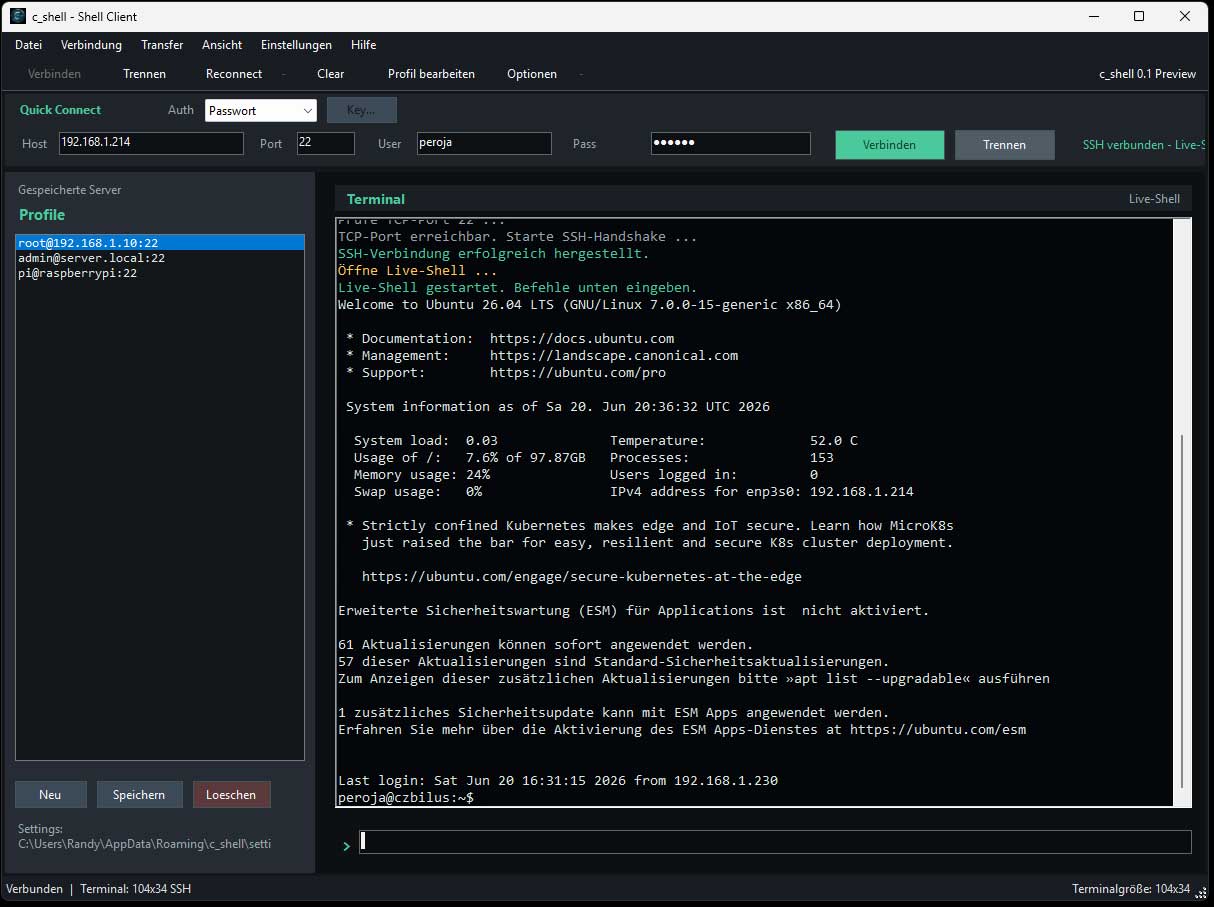
c_shell after successful login with active shell, profile column and dark terminal area.
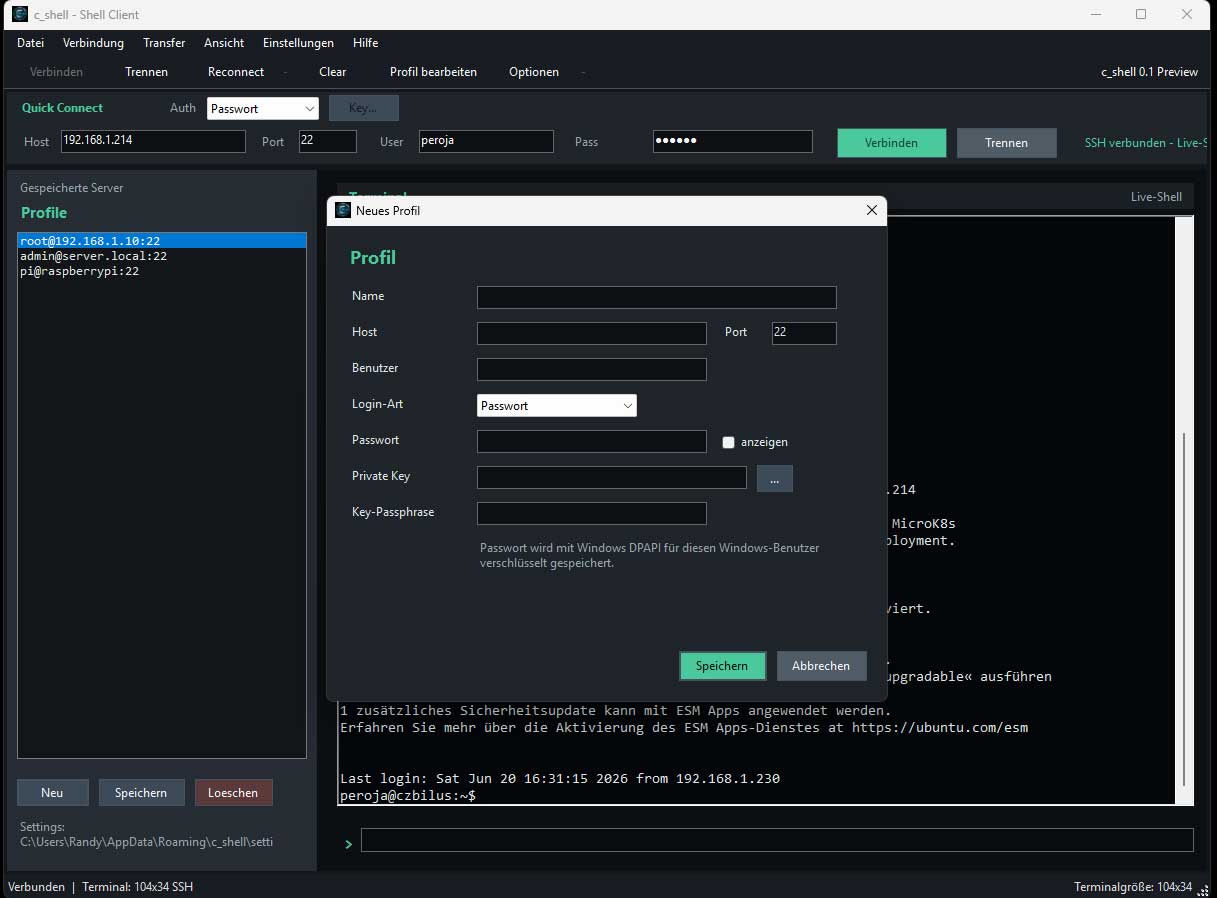
Server profiles can be saved with host, port, username, password login or private-key login.
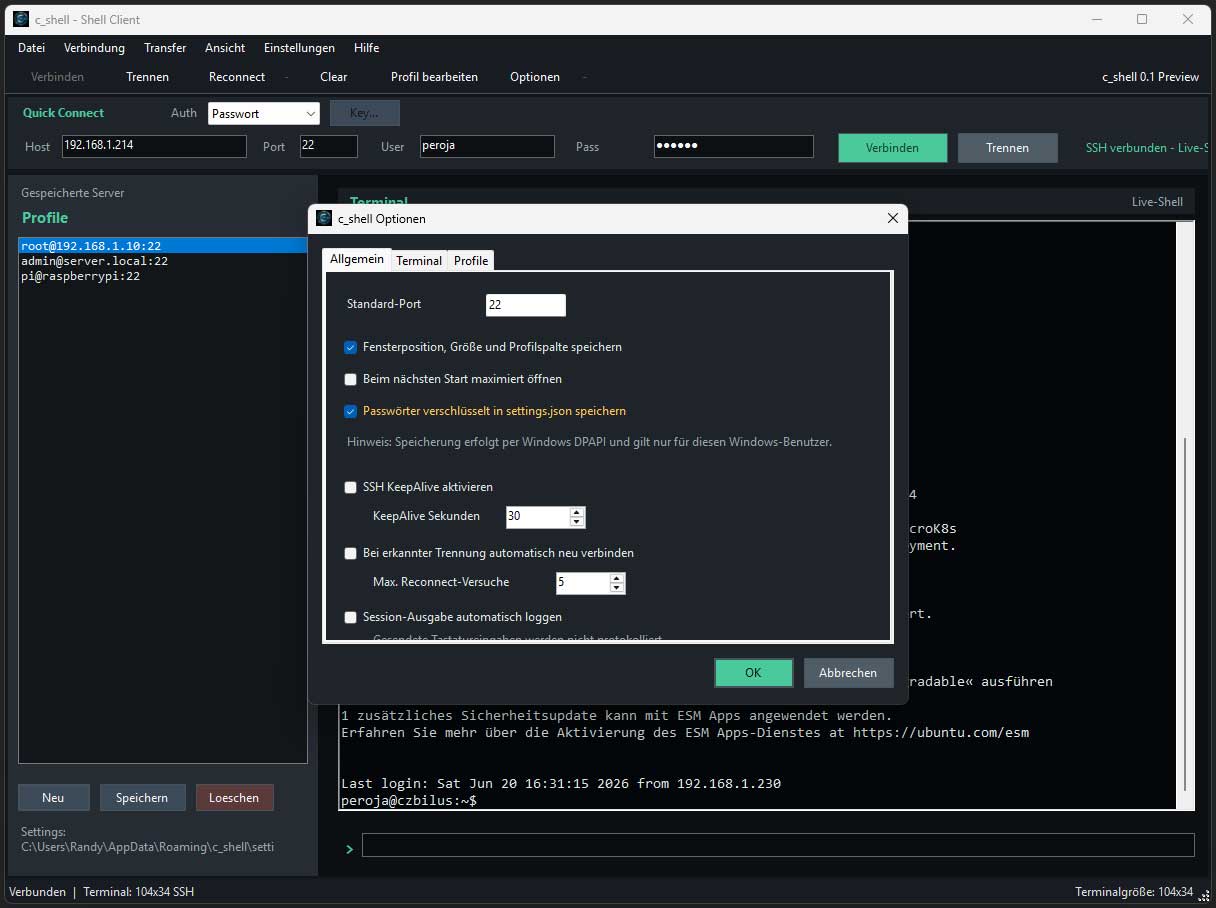
Settings for terminal, profiles, KeepAlive, reconnect, logging and password storage.
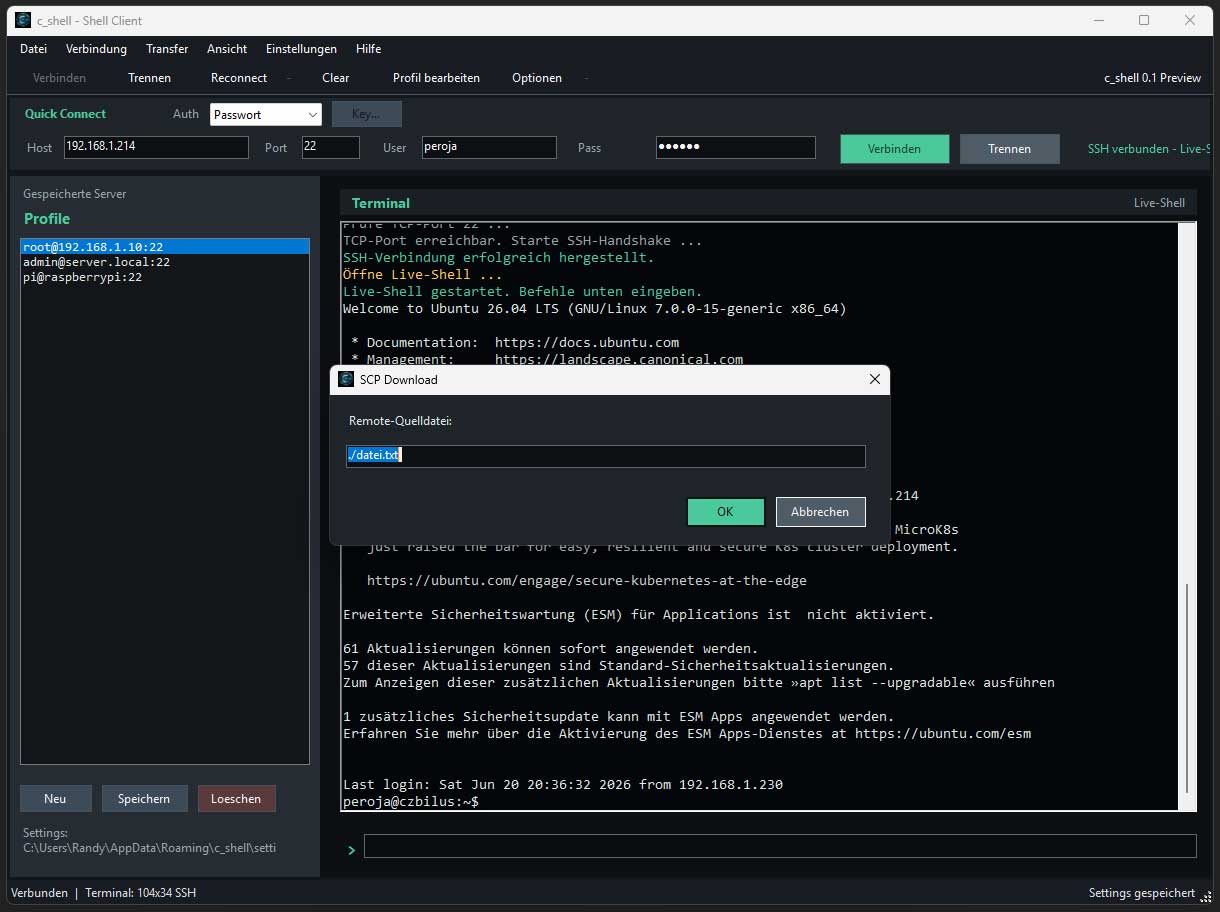
Files can be uploaded and downloaded via SFTP or SCP. Downloads are first written safely to a temporary file.